AI agents write great code but they need you to tell them what the app should do. VibeMapper turns your idea into a visual story map — activities, steps, and stories on a canvas you can skim in seconds instead of scrolling through endless documents.
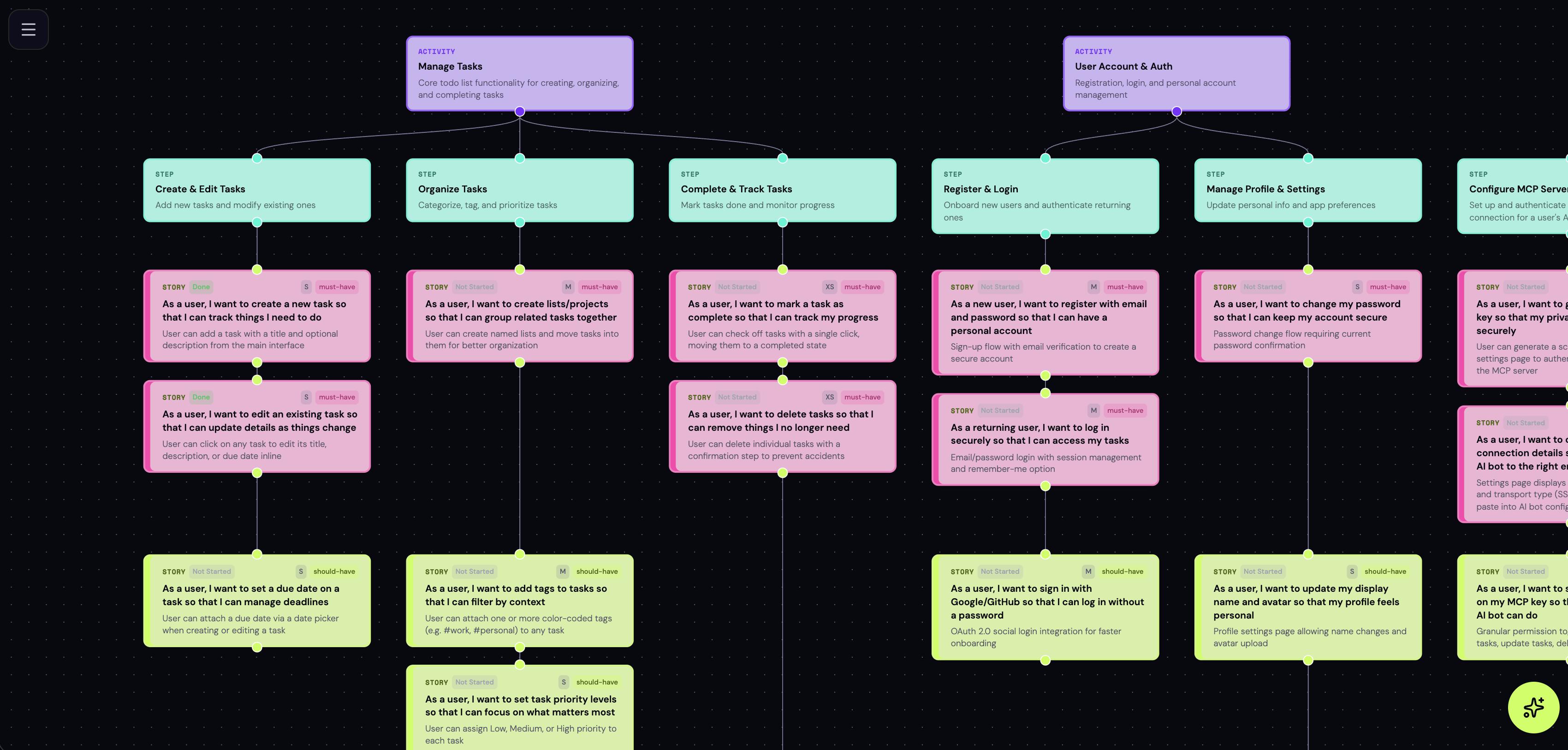
Describe what you're building. AI generates a complete story map — activities, steps, and user stories laid out on a visual canvas.
An infinite zoomable canvas where you see your entire app at a glance. Drag nodes, edit cards, rearrange flows. Easier to skim than any document.
Ask AI to add features, restructure flows, or break down stories. It updates the map surgically and highlights what changed.
Tag stories as must-have, should-have, could-have, or won't-have. Track status from not-started to done. Filter the canvas to focus on what matters.
Connect VibeMapper to Claude Code or Cursor via MCP. Your coding agent reads the story map, picks up tasks, and updates progress as it builds.
Invite people by email as viewers or editors. Share read-only links. Save version snapshots and restore them anytime.
Tell VibeMapper what you're building. AI generates a story map with activities, steps, and user stories.
Edit cards, drag nodes around, add descriptions and acceptance criteria. Ask AI to make changes or do it yourself.
Tag each story with a priority. Filter the canvas to see only what matters for your current release.
Export as Markdown or JSON. Or connect via MCP so your coding agent reads the map directly and updates status as it ships.
Coding agents are great at picking frameworks and writing code. But deciding what your app should do is your job. VibeMapper gives you the visualization and your coding agent the context — connected via MCP.
# Add VibeMapper to Claude Code claude mcp add --scope user vibemapper \ --transport http https://app.vibemapper.io/mcp \ -H "Authorization: Bearer mcp_your_token" # Now your AI assistant can: # - list_projects # - get_story_map # - update_card_status # - add_nodes / update_nodes # - create_story_map
Pro plan for teams coming soon.